5 JSM Mistakes I See Every Time (And How to Fix Them)

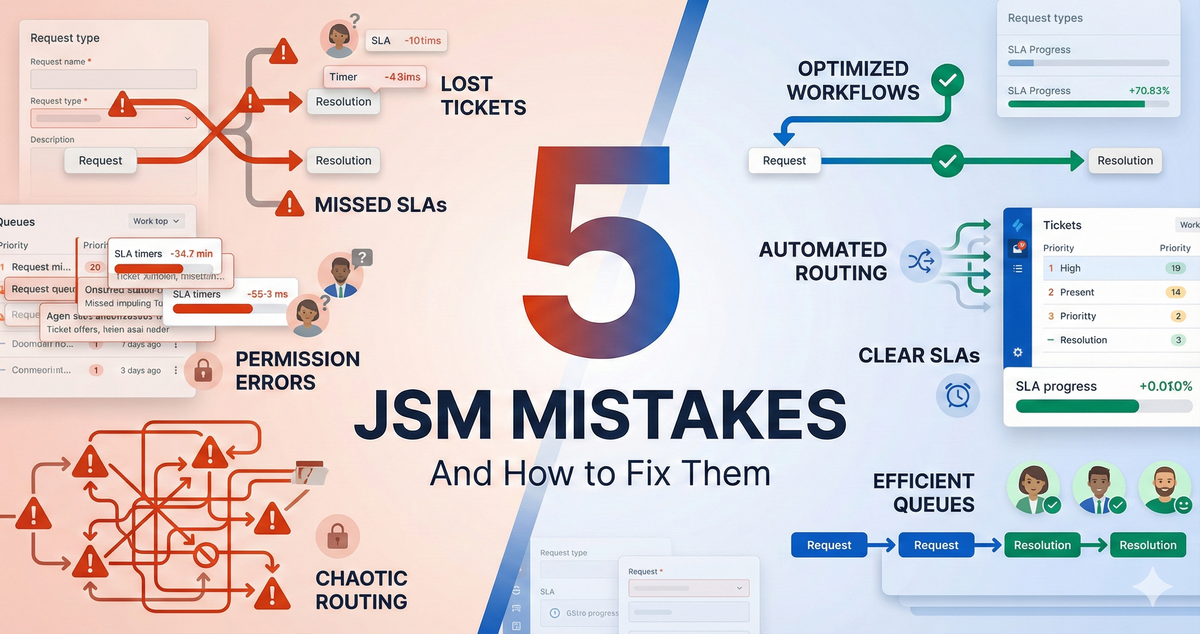
I've rescued over 100 Jira Service Management implementations.
Healthcare companies. Banks. Retailers. Tech startups. Government agencies. And you know what? They all make the same five mistakes.
Not variations. The same five mistakes.
The good news? Once you understand what these mistakes are, you can avoid them entirely—or fix them if you've already fallen into the trap.
Let me save you the expensive consulting bill I usually charge to diagnose these.
Mistake #1: Not Finding the Right Balance
This mistake has two faces, and I see both constantly.
Face One: Over-Engineering
You open JSM. You see all these features. Forms. Automations. Approvals. SLA configurations. Workflows with a dozen statuses. And you think: "I should enable all of this. That's what a professional setup looks like."
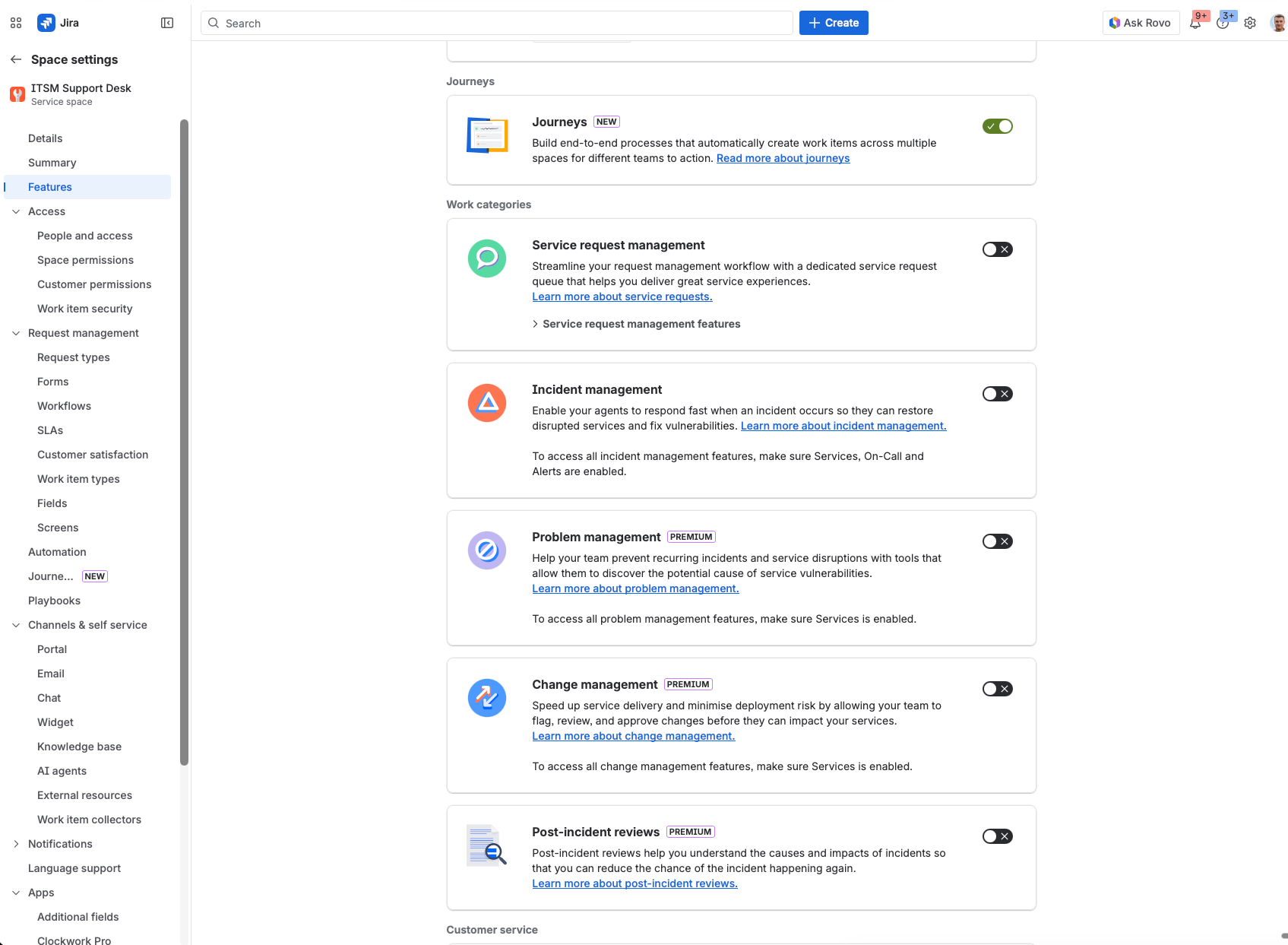
I call this imposter syndrome configuring.
The spiral goes like this:
- You enable 3 features you don't fully understand
- Something behaves unexpectedly
- You enable 2 more features to "fix" the confusion
- Now you have 5 features interacting in ways you can't predict
- Repeat until nobody uses the system
A media company I worked with had enabled everything from day one—complex approvals, 15+ automations, custom fields everywhere. Adoption rate? 12%. We stripped it back to essentials. Adoption jumped to 85%.
Face Two: Under-Utilizing
Here's the opposite extreme, and it's just as damaging.
Teams disable everything (or never enable anything), get comfortable with one way of doing things, and never explore what JSM can actually do.
The result? They buy expensive plugins for features that are already built into JSM.
Forms are the perfect example. This one is close to my heart because I see it constantly.
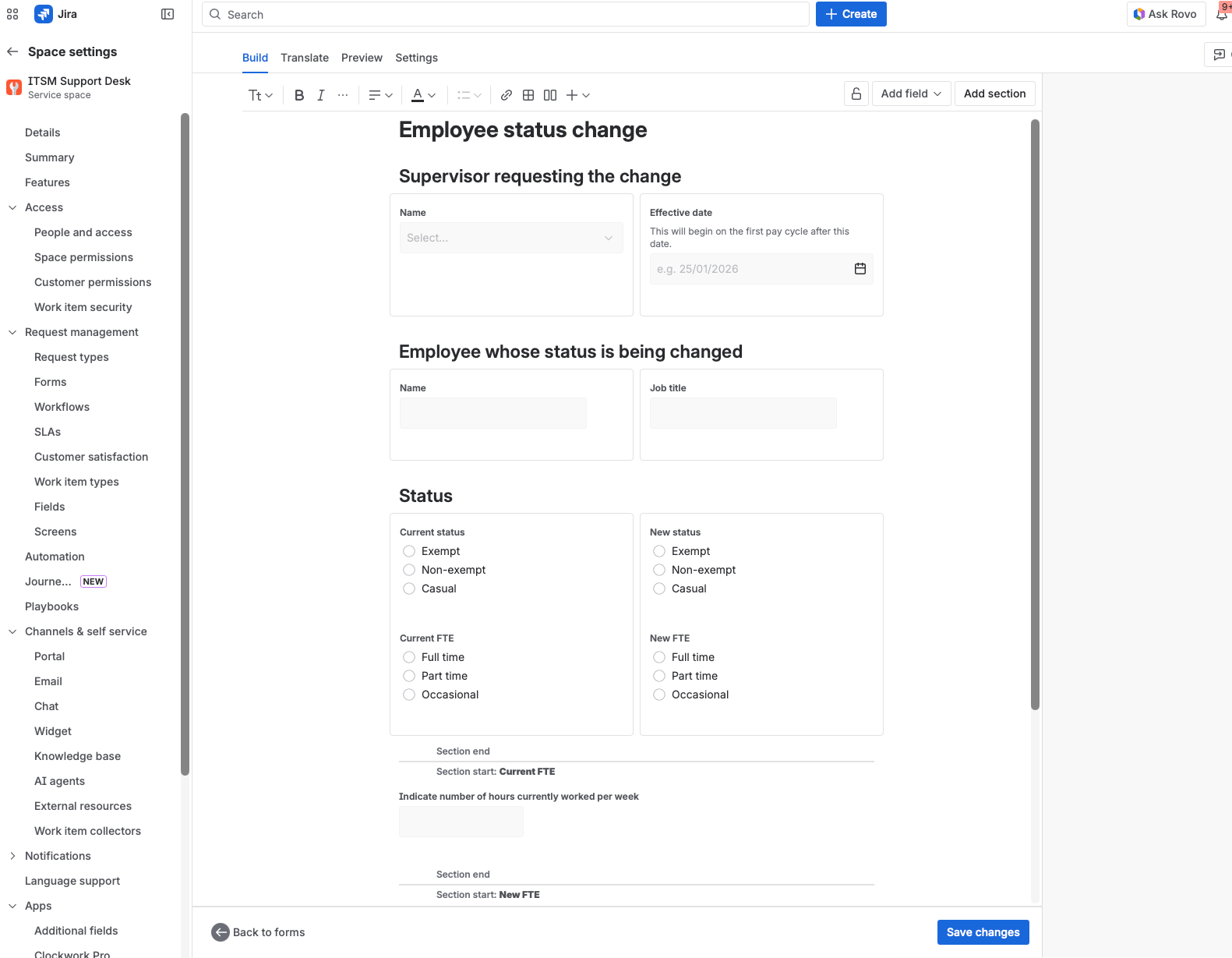
JSM Forms are incredibly powerful—conditional logic, validation, multi-page flows, dynamic fields. They're included in your license. Yet I regularly meet teams who:
- Don't use forms at all
- Or use basic forms without knowing the advanced features
- Then purchase 2-3 marketplace plugins costing £500-2000/year to do what Forms already does natively
Same story with automations. JSM automation is robust. But teams either ignore it completely or don't realize how much it's evolved.
Playbooks (formerly Journeys) are a newer example. They're essentially guided automation workflows—incredibly useful for incident management and complex processes. Most teams don't even know they exist.
The Two Roads:
| Over-Engineering | Under-Utilizing |
|---|---|
| Enable everything "just in case" | Disable everything, never explore |
| Too complex to use | Miss powerful native features |
| Low adoption | Buy plugins for built-in functionality |
| Chaos | Stagnation |
Both roads lead to a broken implementation.
The Fix: Intentional Balance
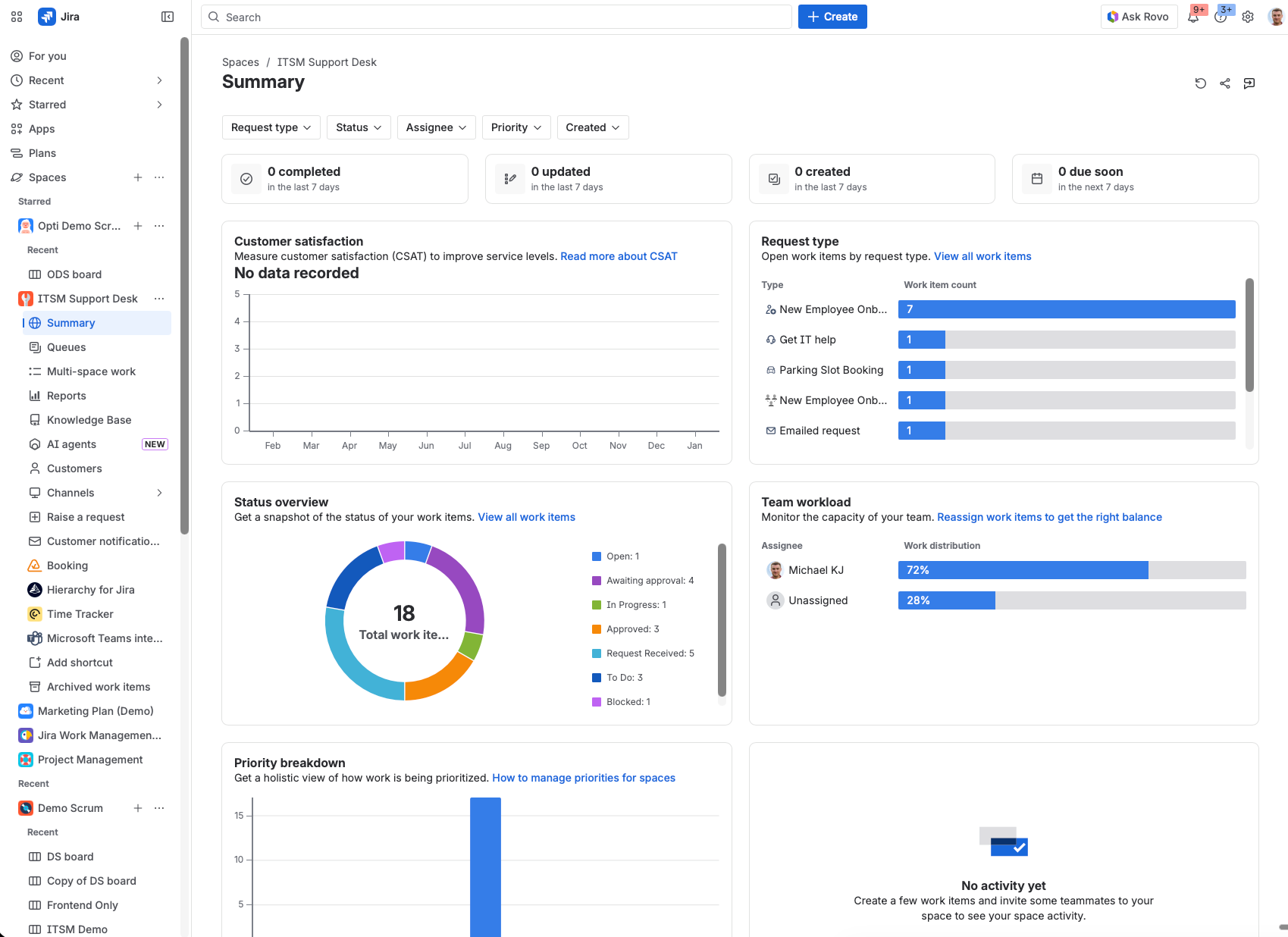
The goal isn't "enable everything" or "disable everything." It's intentional configuration:
- Start lean: Disable what you don't need immediately
- Review quarterly: What problems are you solving manually that JSM might handle?
- Explore new features: When Atlassian releases something (like Playbooks), spend 30 minutes understanding it
- Before buying plugins: Ask "Can native JSM do this?" Check Forms, Automation, and Assets first
- Add features when you hit a wall—not before, not never
The out-of-the-box templates are good. They follow ITIL specifications. The mistake isn't using them—it's either keeping everything enabled OR never exploring what's available.
One Common Gotcha:
Closed tickets stay closed when customers respond. I see this constantly. A customer replies to a closed ticket, and nothing happens. The agent never sees it.
You need to configure the "Customer Responded" status or set up automation to reopen tickets. Teams often enable everything except this critical feature—or disable so much they never set it up.
Mistake #2: Getting the Request Type / Issue Type / Workflow Balance Wrong
Like Mistake #1, this one has two extremes.
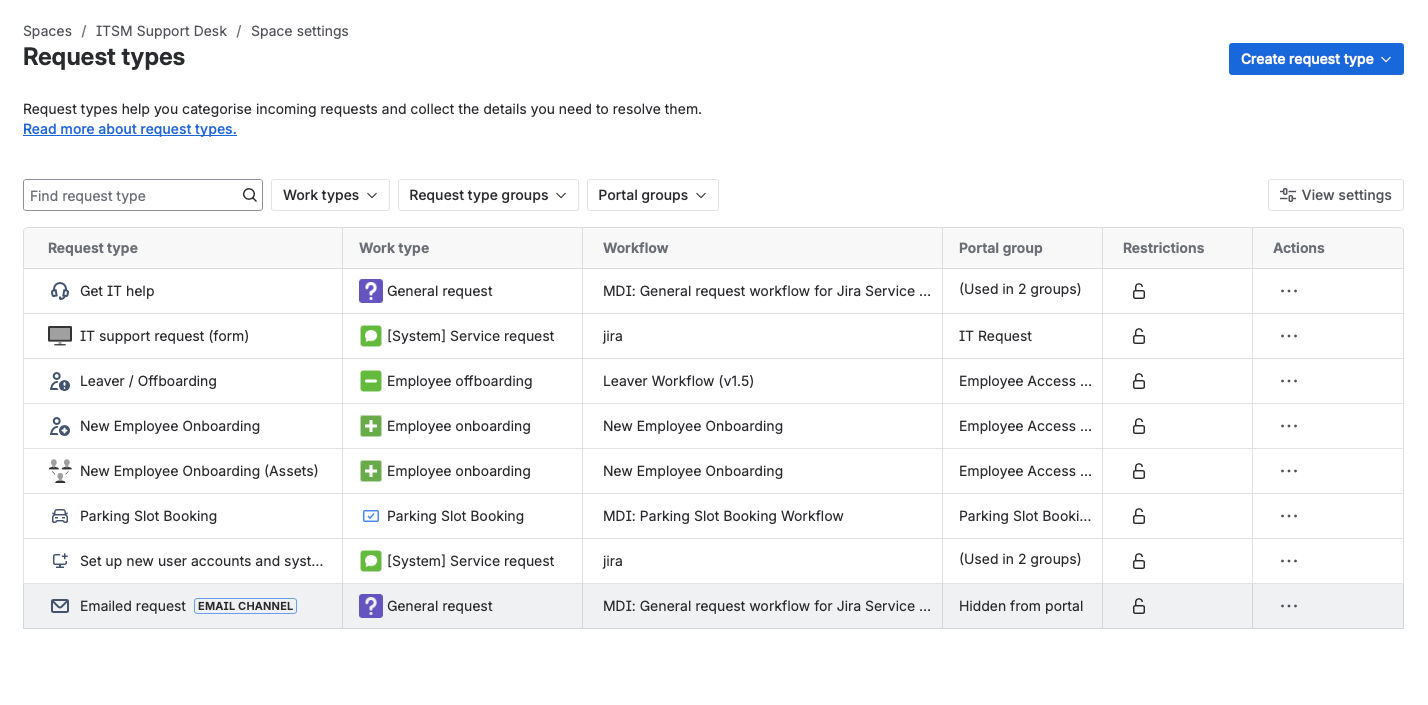
Extreme One: Too Many of Everything
When you create a JSM project from a template, you get a bunch of request types out of the box. IT Service Management template? You'll see:
- Get IT help
- Request a new account
- Request new hardware
- Report a system problem
- Request software
- ...and about 15 more
People look at these and think: "Great! I'll keep all of these and add my specific ones on top."
I once audited a JSM instance with 47 request types. Forty-seven.
Me: "How many of these does anyone actually use?" Them: "Probably... five?" Me: "Why do the other 42 exist?" Them: "They came with the template. We were afraid to delete them."
Their customers were overwhelmed. They'd open the portal, see 47 options, and send an email instead.
Extreme Two: Too Few Issue Types → Workflow Nightmare
Here's the opposite problem, and it's just as bad.
Teams get confused about the difference between work types (issue types) and request types. They're scared to create multiple issue types. So they go minimal—maybe two issue types for an entire large organisation—and compensate with 50+ request types.
The problem? Workflows attach to issue types, not request types.
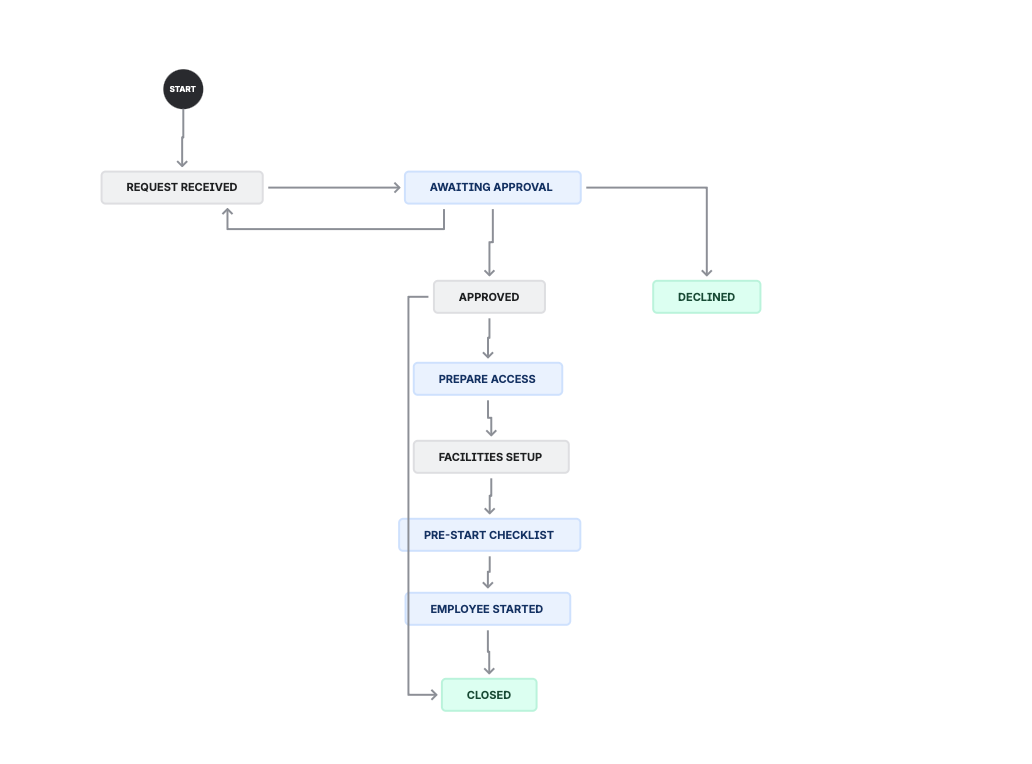
Large Manufacturing Plant Example:
They had only 2 work item types serving the entire company. But they needed different processes for IT requests, HR requests, facilities, procurement—completely different flows.
Instead of creating appropriate issue types with their own workflows, they tried to handle everything in one massive workflow.
The result:
- A single workflow trying to cover 5 different processes
- Conditional logic everywhere
- Automations firing based on request type to simulate different workflows
- Nobody could understand or maintain it
- Changes in one area broke another
They were so worried about "too many issue types" that they created a monster workflow instead.
The Root Cause: Confusion
Many teams don't understand the hierarchy:
Issue Type → has a → Workflow
     ↓
Request Type → is how customers → see it on the portal
Request types are the customer-facing labels. Issue types are the backend structure. You can have multiple request types mapping to one issue type—that's fine. But trying to force fundamentally different processes through one workflow is a recipe for disaster.
The Fix:
For Request Types:
- Maximum 5-10 visible on the portal
- Use forms for variations, not separate request types
- "Request hardware" can handle laptops, monitors, and keyboards—just ask which one on the form
- Delete the OOTB request types you don't need
For Issue Types:
- Ask: "Do these requests need genuinely different workflows?"
- If yes, they need different issue types
- Don't be afraid to have 4-6 issue types if your processes are genuinely different
- But don't create issue types just for reporting—use labels or custom fields instead
For Workflows:
- One workflow should handle ONE logical process
- If you're adding conditional logic based on request type, you probably need a separate issue type
- Audit quarterly: If a workflow has more than 8-10 statuses, question it
Insurance Company Example:
47 request types, 8% adoption. Customers gave up and called the helpdesk instead.
We consolidated to 9 request types with smart forms. Same functionality, clearer choices.
Adoption went to 78%. Three months from disaster to success.
Mistake #3: Not Understanding How JSM Actually Works
This mistake is different from the others. It's not about configuration choices—it's about fundamental misunderstanding.
I see this especially with teams migrating from Zendesk, Freshdesk, or ServiceNow. They assume JSM works the same way. It doesn't.
The Key Concept Nobody Explains:
JSM has two completely different interfaces:
- The Agent View (Backend): What your support team sees. Full Jira interface with queues, boards, filters, and all the power tools.
- The Customer Portal (Frontend): What your customers see. Clean, simple, focused on submitting and tracking requests.
These are not the same experience. Settings that affect one don't necessarily affect the other.

Common Confusions:
"I configured it but customers can't see it"
You probably configured the agent view. The portal has its own configuration. Portal settings live in Project Settings → Portal Settings. Agent view settings live everywhere else.
"Why does email submission behave differently from portal submission?"
Because they're different intake channels with different rules. Email submissions might skip certain form fields. Portal submissions can require specific fields.
"The automation doesn't trigger"
Probably configured for the wrong context. Some automations fire on agent actions. Some fire on customer actions. Some fire on both. Check your trigger conditions.
Retail Chain Example:
They migrated from Zendesk and built their JSM exactly like Zendesk. Customer portal didn't work right. Automations misfired. Agents were confused.
We spent half a day just explaining JSM architecture. Backend vs frontend. How queues relate to filters. How SLAs attach to request types.
"Once they understood backend vs portal, everything clicked."
Then we rebuilt the implementation. Same features, but configured correctly this time.
The Bigger Problem: Lack of Training
Here's something I see constantly: staff get thrown into JSM with zero training.
"Here's the portal. Here's your queue. Good luck."
Nobody explains:
- How reports work (and why they matter)
- How SLAs actually calculate
- What the different views and boards can do
- How queues, filters, and JQL connect
- The difference between internal comments and customer-visible replies
The result? People use 20% of JSM's capabilities. They work harder than they need to. They make configuration mistakes because they don't understand what they're configuring.
This isn't their fault. It's a training gap.
The Fix:
Before you configure anything:
- Understand that agent view ≠ customer portal
- Test as a customer, not just as an agent
- Know where email submissions go vs portal submissions
- Document which settings affect which interface
If you came from another platform, spend a day learning JSM architecture before touching settings. It'll save you weeks of rework.
Invest in Proper Training:
This is one problem with a clear solution: training.
Not a 10-minute "here's how to log a ticket" session. Proper training that covers:
- JSM architecture and concepts
- Day-to-day agent workflows
- Reports and how to use them
- For admins: configuration best practices
Whether it's your frontline agents or management who need to understand what JSM can do—training eliminates this entire category of mistakes.
We offer JSM training for both staff and management levels. If your team is struggling with JSM fundamentals, book a call and let's discuss what training would help your specific situation.
Mistake #4: Not Utilizing Built-In Features (or Over-Automating)
JSM has powerful features. The problem? Teams either ignore them completely or go overboard.
The "Set and Forget" Problem:
You configure something once. It works. You never look at it again.
Six months later:
- SLAs that made sense then are now causing constant breaches
- Automations that helped are now annoying customers
- Reports that nobody reads contain insights you need
- Queues that were useful are now cluttered
Features That Get Neglected:
SLAs:
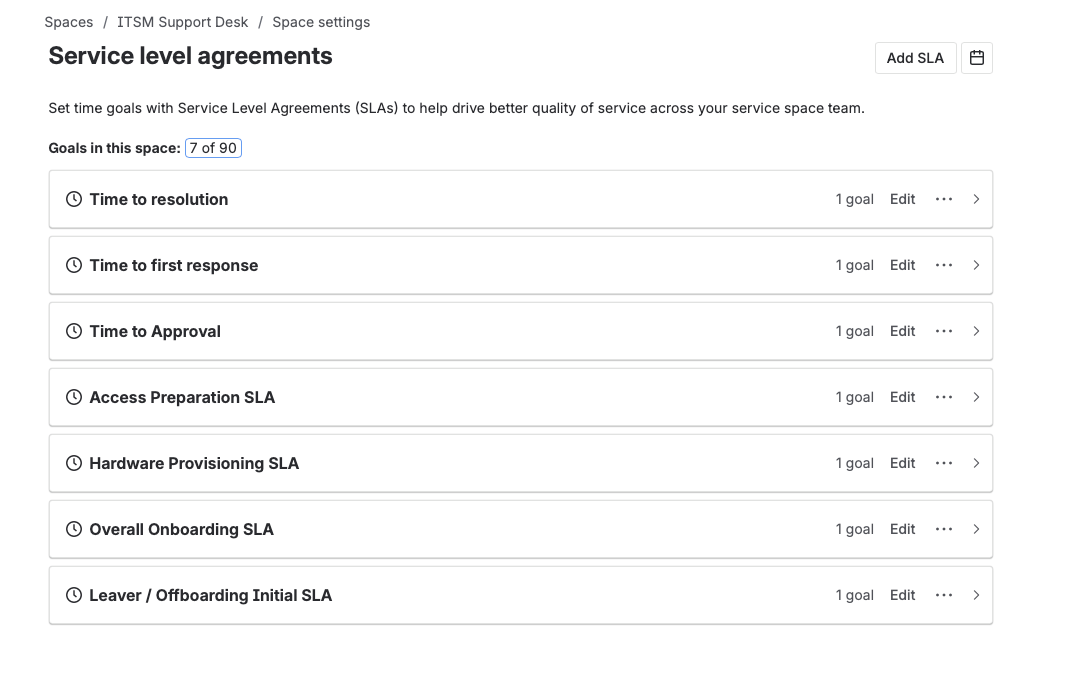
Two extremes here. Either:
- No SLAs configured at all (no urgency, no accountability)
- Unrealistic SLAs (15-minute first response = constant breach = meaningless metrics)
A tech startup I worked with had 15-minute SLAs. Their breach rate was 94%. The SLA dashboard was just a wall of red. Nobody looked at it anymore.
We moved to 4-hour first response. Breach rate dropped to 5%. The team actually cared about hitting targets again.
Reports:
JSM includes built-in reporting. Request volume. Resolution time. SLA performance. Customer satisfaction.
Maybe 20% of teams actually review these reports regularly.
You're sitting on data that tells you exactly what to improve—and you're not looking at it.
Multi-Space Work (Boards):
Newer feature. Lets you see work across multiple projects in one view. Great for team leads managing multiple service desks.
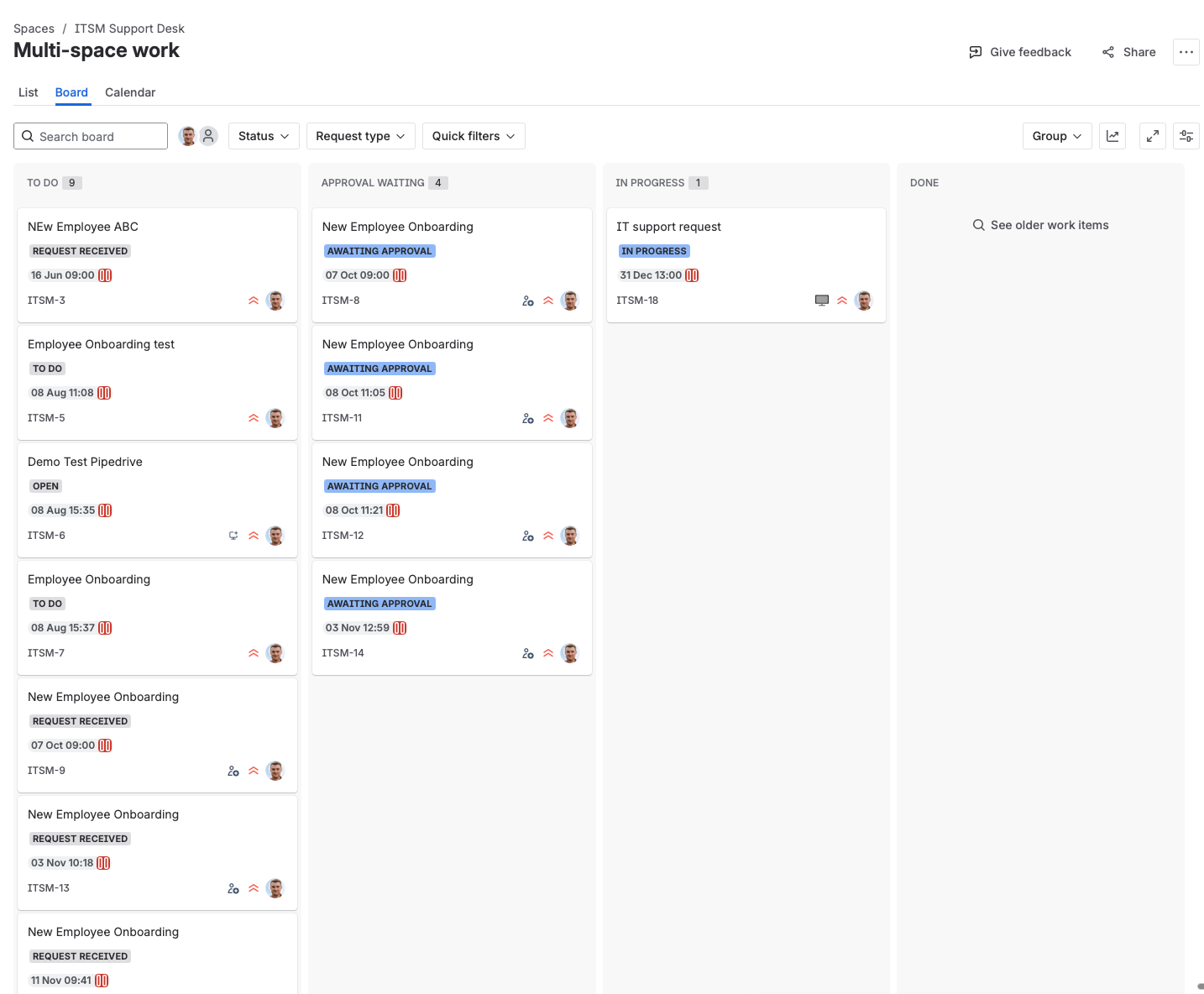
Most teams don't know it exists.
The Automation Balance:
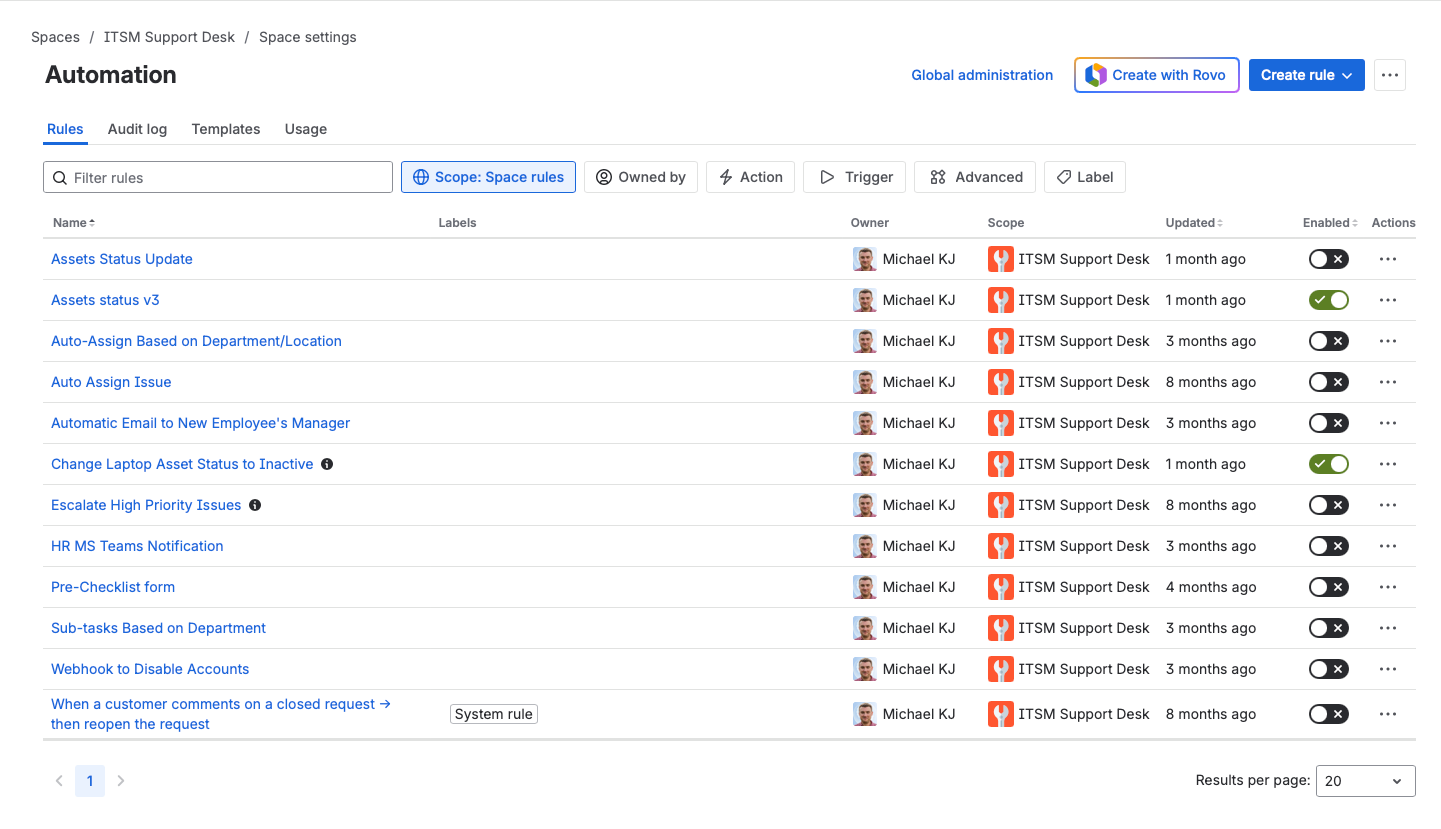
This is the tricky one. Automation is either:
- Too little: Agents doing repetitive manual tasks. Inefficient. Error-prone.
- Too much: Customers get confusing automated responses. Things fire when they shouldn't. Debugging is a nightmare.
Signs You Have Too Little Automation:
- Agents manually transitioning tickets through statuses
- Same email sent manually over and over
- Fields filled in by hand that could auto-populate
Signs You Have Too Much Automation:
- Customers get 3+ automated emails per ticket
- Agents don't know why a ticket moved to a certain status
- "Who triggered this?" is a common question
- You're afraid to touch automation rules because you don't know what will break
The Over-Automation Nightmare:
Over-engineered automations deserve special attention because they can cause massive problems.
I've seen JSM instances with 40+ automation rules, many of them interacting in unpredictable ways. One rule triggers another. Conditions overlap. Nobody remembers why half of them exist.
The problems:
- Debugging is nearly impossible. When something goes wrong, you're tracing through a web of rules trying to figure out which one fired and why.
- Changes are terrifying. Touch one rule, break three others. So people stop making improvements.
- Performance suffers. Every ticket triggers a cascade of rule evaluations.
- Customer experience degrades. Automated emails that made sense individually become spam when combined.
One client had automations so tangled that tickets would occasionally loop—transitioning back and forth between statuses as different rules triggered each other. They had to manually intervene on 15% of their tickets.
The Fix:
For SLAs:
- Start generous (4-8 hours first response)
- Tighten based on actual performance data
- Configure business hours (no breaching at 3am on Sunday)
For Reports:
- Block 30 minutes monthly to review JSM reports
- Look for patterns: Which request types have longest resolution? Which queues are overloaded?
- Use data to justify changes
For Automation:
- Good automations are invisible to customers
- If a customer notices an automation, review whether it should exist
- Audit quarterly: Are these rules still helping?
- Rule of thumb: If you can't explain what an automation does in one sentence, it's too complex
Mistake #5: Not Understanding Licensing and Costs
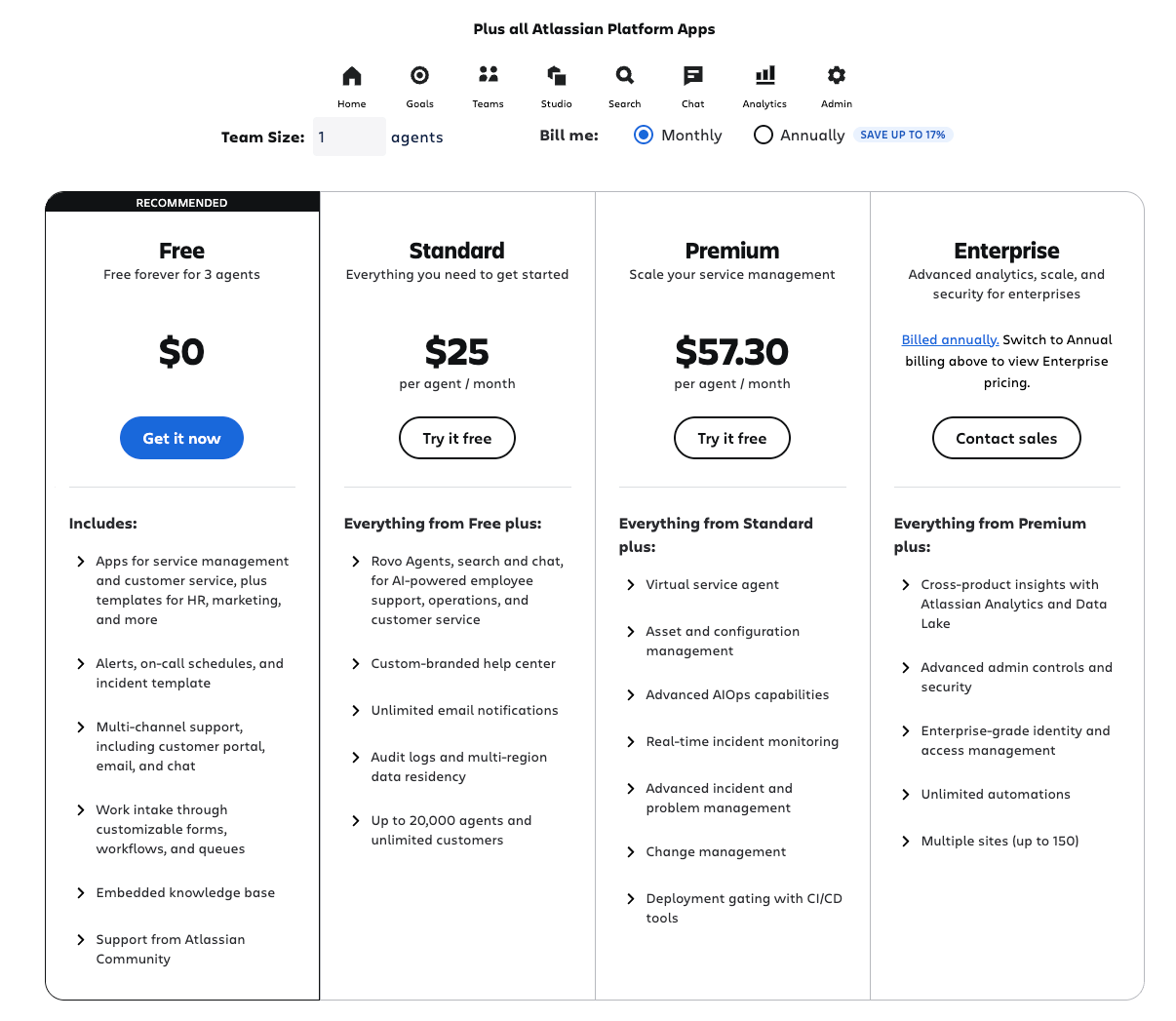
This might be the most expensive mistake on this list—literally.
The Cost Reality:
JSM agent licenses are not cheap. For Enterprise plans, you're looking at $50-80 per agent per month.
An "agent" is anyone who needs to work on issues—view internal comments, transition statuses, make changes.
The Expensive Pattern:
Here's what I see constantly:
A support ticket comes in. Support agent triages it. Turns out it's a bug. They assign it to a developer.
Developer works on it in JSM.
That developer now needs a JSM agent license.
You have 50 developers occasionally fixing bugs in JSM? That's potentially £40,000+ per year in JSM licenses—for people who spend maybe 2% of their time in JSM.
Enterprise Bank Example:
200+ JSM agents. Including the entire development team.
Annual licensing: £150,000.
We analyzed their actual usage. True service desk agents: 40. Everyone else: occasional work that could be done differently.
The Fix:
Set up a JSM → Jira Software handoff:
- Support issue comes into JSM
- Agent triages and confirms it needs development
- Agent creates a linked issue in Jira Software
- Developer works in Jira Software (cheaper license)
- When resolved, Jira issue updates, JSM issue can be closed
The linked issue approach means:
- Developers work in Jira Software (where they belong)
- Support can see progress via the link
- No duplicate work
- Massive license savings
After the change at the bank:
- 40 JSM agents (actual service desk team)
- Developers in Jira Software
- Linked issues for visibility
- Annual licensing: £45,000
They saved £105,000 per year. Same functionality.
Quick Audit:
Look at your JSM agents list. For each person, ask:
- Do they work in JSM daily?
- Could their work be done via linked Jira issues instead?
- Are they really providing customer service, or just occasionally assigned work?
The Common Thread
All five mistakes share something: they come from misunderstanding the system.
You enable everything because you don't understand what each feature does.
You create too many request types because you don't understand how forms work.
You configure incorrectly because you don't understand backend vs frontend.
You ignore features because you don't understand their value.
You waste money because you don't understand licensing.
The Fix Is Always The Same:
- Understand the system before configuring
- Start simple
- Add complexity only when you hit a wall
- Review periodically—"set and forget" kills JSM implementations
What To Do Now
If You're Just Starting:
- Create project from template
- Immediately disable everything you don't need
- Launch with minimal features
- Add based on real user requests, not assumptions
If You've Already Made These Mistakes:
- Audit your request types (target: under 10)
- Review your automations (can you explain each in one sentence?)
- Check your SLAs (are they realistic?)
- Look at your agent list (who really needs to be there?)
If It's a Complete Mess:
Sometimes the fastest fix is a rebuild. Document what's actually needed. Create a new project. Migrate the essentials.
Or book a consultation and let me diagnose it. I've untangled worse.
Quick Reference
| Mistake | Quick Fix |
|---|---|
| Not finding the balance | Start lean, review quarterly, explore before buying plugins |
| Wrong request/issue/workflow balance | 5-10 request types, separate issue types for different processes |
| Architecture confusion + no training | Test as customer, invest in proper training |
| Not utilizing features / over-automating | Monthly report reviews, audit automations quarterly |
| License waste | JSM → Jira Software handoff |
Ready to fix your JSM setup? Check out our JSM Quick Start Tutorial for the right approach, or book a consultation if you need hands-on help.