Jira Custom Onboarding: The Native Feature You Probably Missed (2026)

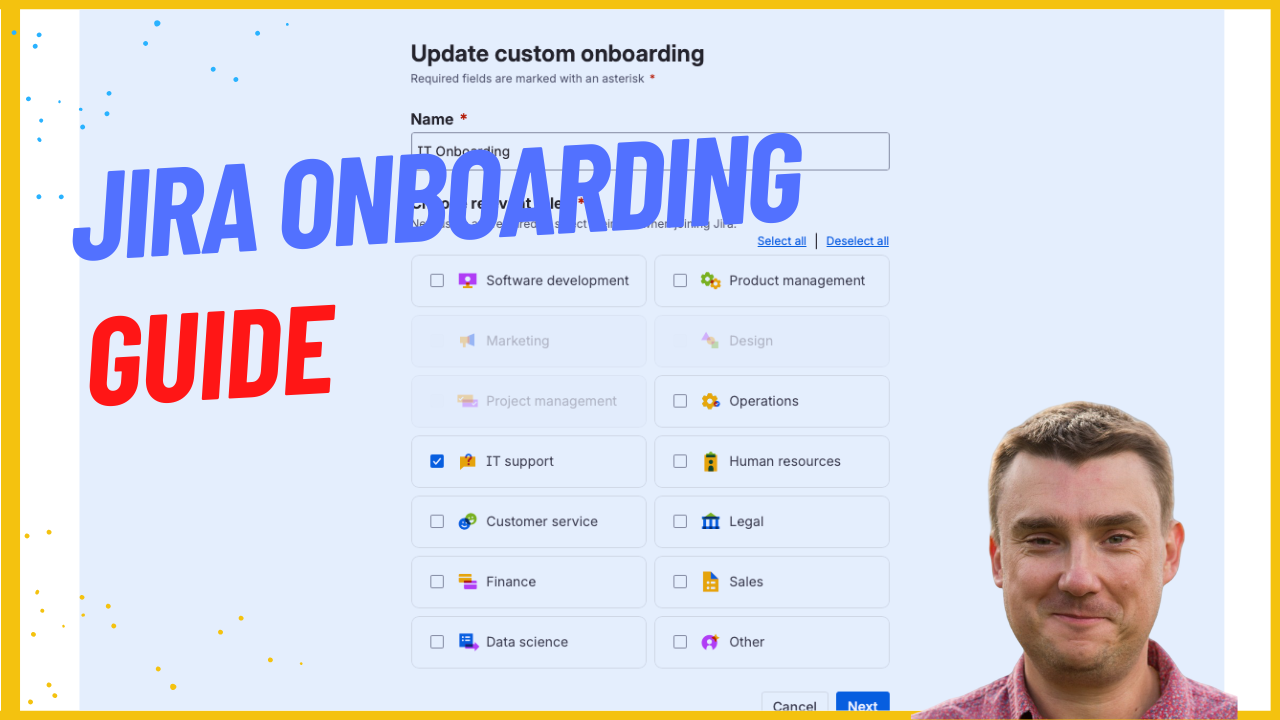
You probably never heard of this feature. I missed it too - and I've been working with Jira for 14 years.
A client recently came to me after we'd finished their full JSM setup. Everything was running smoothly, but they had a problem: "Mike, we've got a lot of new joiners. Is there any way to automate this onboarding process when users are joining?"
I remembered seeing something in an Atlassian email about custom onboarding. So I started playing with it, and within 15 minutes, the whole thing was done. No plugins. No complexity. Just a native Jira feature that most people don't know exists.
Let me show you exactly how to set it up.
Quick note: Custom Onboarding is available on Jira and JSM Premium plans. I wasn't 100% sure about this in the video, so just to be clear - you will need Premium to access this feature. If you're on Standard or Free, this is one more reason to consider the upgrade, especially if you're onboarding new team members regularly.
What Is Custom Onboarding?
Custom Onboarding is a built-in Jira feature that lets you create welcome screens for new users when they first log into your Jira or JSM instance. You can set up role-based onboarding flows with custom steps, descriptions, links, and even video walkthroughs.
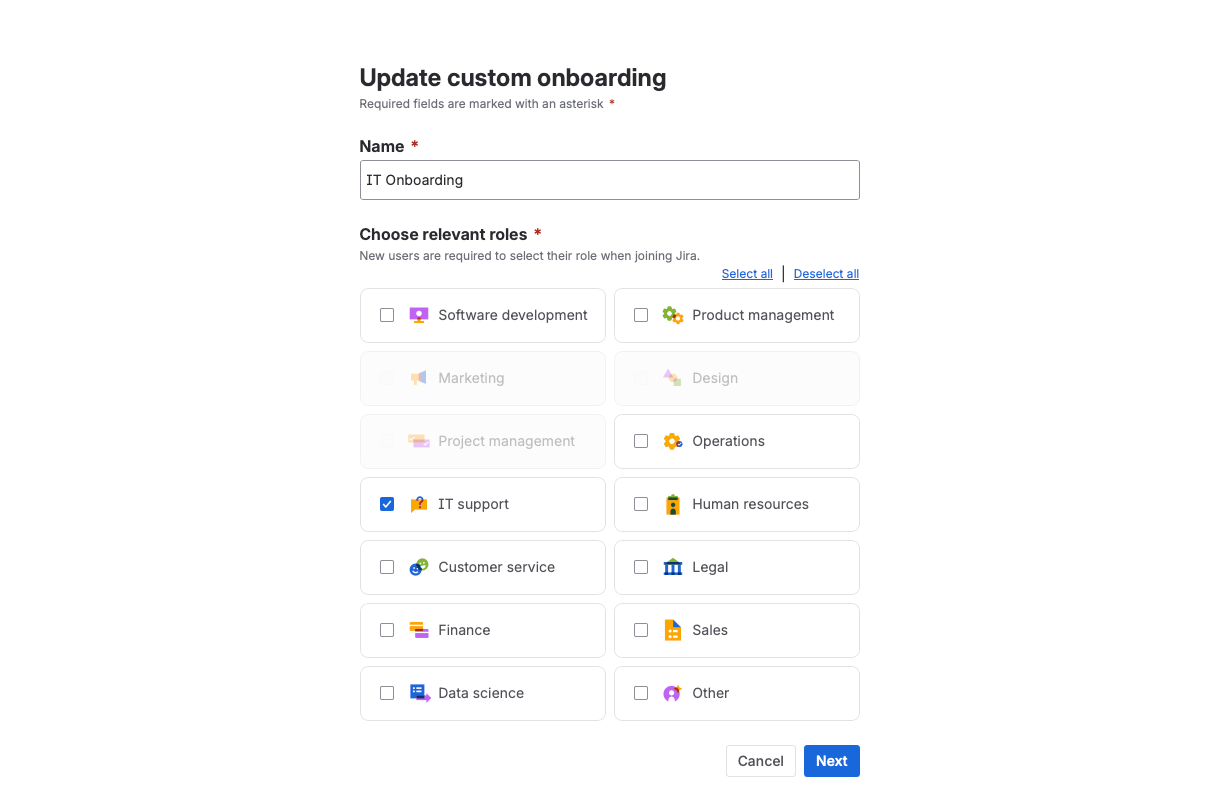
Important: This is different from building an onboarding workflow with JSM tickets and forms. That approach (which I cover in my 3-part onboarding series) is about creating a full ticketing process for onboarding tasks like hardware provisioning, account setup, and team introductions.
Custom Onboarding is simpler - it's the welcome screen that greets users on their first login and points them in the right direction.
The best part? It works on any Jira or JSM plan. Even the free plan.
How to Set It Up (Step by Step)
Step 1: Navigate to Custom Onboarding
Go to Settings > Jira Apps > Custom Onboarding.
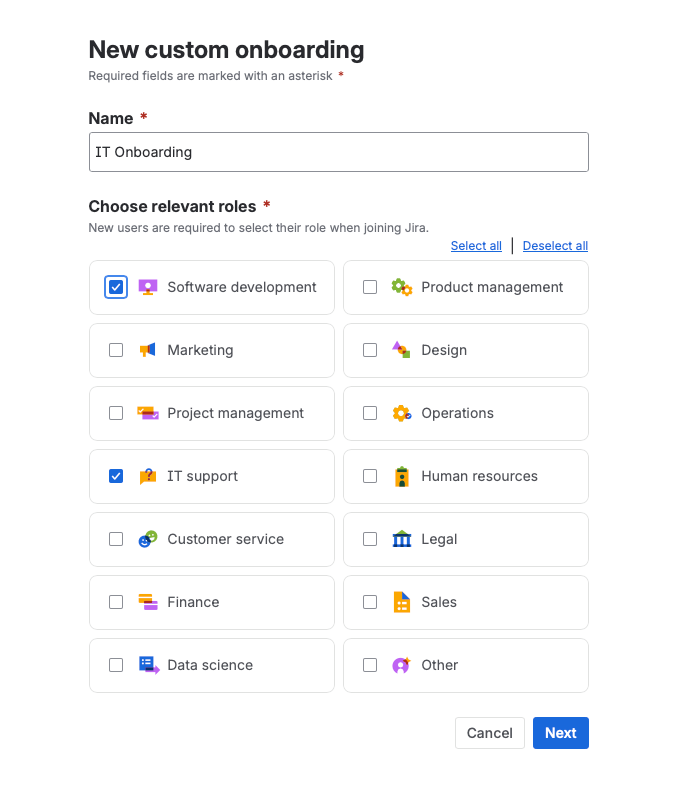
That's it. That's where it lives. No marketplace plugin, no extra configuration page buried in some sub-menu.
Step 2: Pick Your Roles
When you create a new onboarding flow, you'll choose which roles it applies to. Atlassian gives you around 20 pre-built roles to choose from:
- IT Support
- Customer Service
- Marketing
- Operations
- HR
- Project Management
- And more
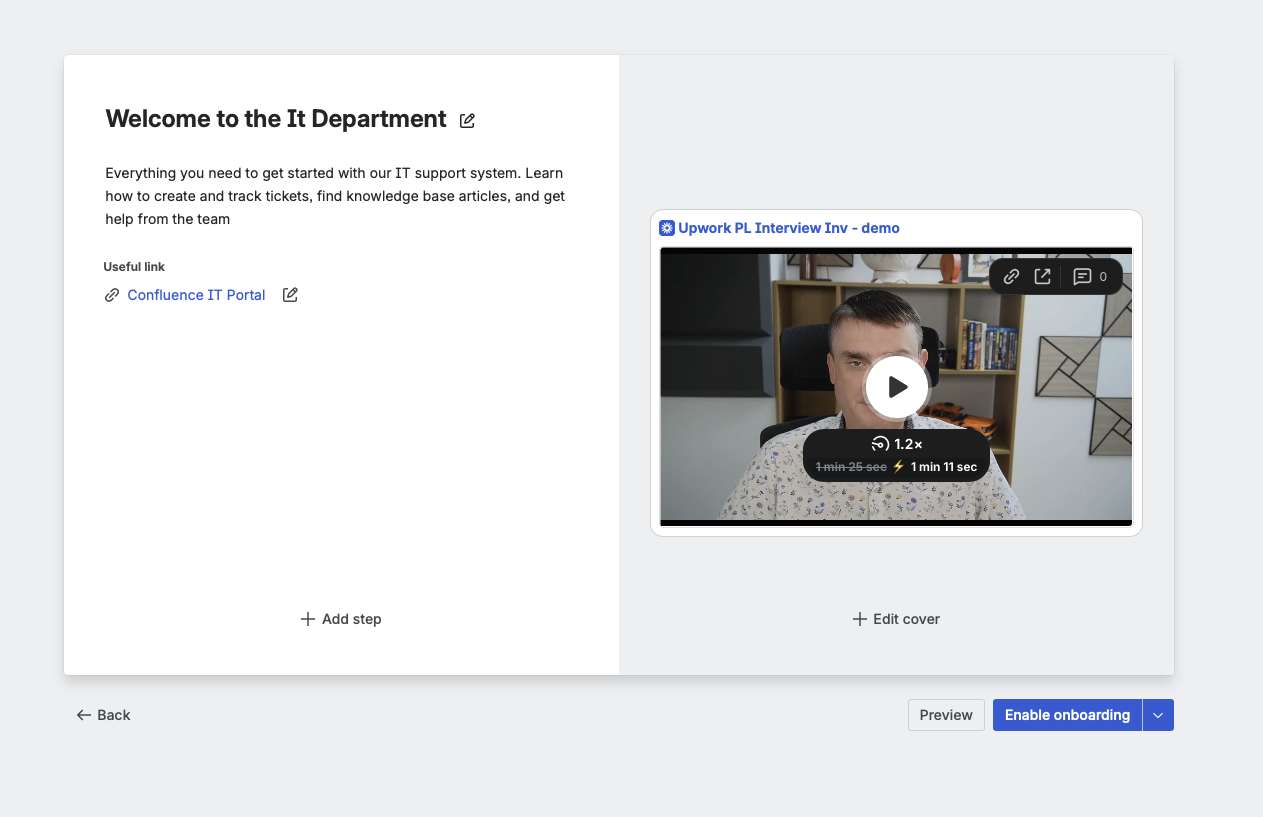
Your organisation should be pretty well covered by these options. You can select multiple roles for one onboarding flow - for example, if IT Support and Customer Service work closely together, you might want them seeing the same welcome experience.
One limitation: You can't create custom roles yet. Hopefully Atlassian adds this in the future, but for now the pre-built list covers most teams.
Step 3: Build Your Steps
Each onboarding flow supports up to 3 steps. For each step, you can add:
- A title - what this step is about
- A description - explain what the new joiner needs to know
- Custom links - point them to Confluence pages, documentation, team resources
- A video - embed a Loom or YouTube video directly in the step
- A background image - customise the look if you want
Here's the thing: you don't need all three steps. One step is absolutely fine. Don't over-engineer it. If all you need is a welcome message with a link to your team's Confluence space and a quick video walkthrough, that's a perfectly good onboarding experience.
Step 4: Preview and Publish
Before you publish, use the Preview button to see exactly what new users will see. Check it looks right, update if needed, and you're done.
The whole process takes 10-15 minutes.
Tracking Who's Completed Onboarding
One thing worth mentioning - Atlassian provides built-in analytics for Custom Onboarding. You can see how many people have interacted with your onboarding flows, which means you're not just setting it up and hoping for the best.
This is really useful for larger teams. You can actually track whether new joiners are going through the onboarding steps or skipping them entirely. If you see low completion rates, that's a signal to simplify your steps or make the content more relevant.
No need for third-party tracking or manual follow-ups - the stats are right there in Jira.
Creating Multiple Onboarding Flows
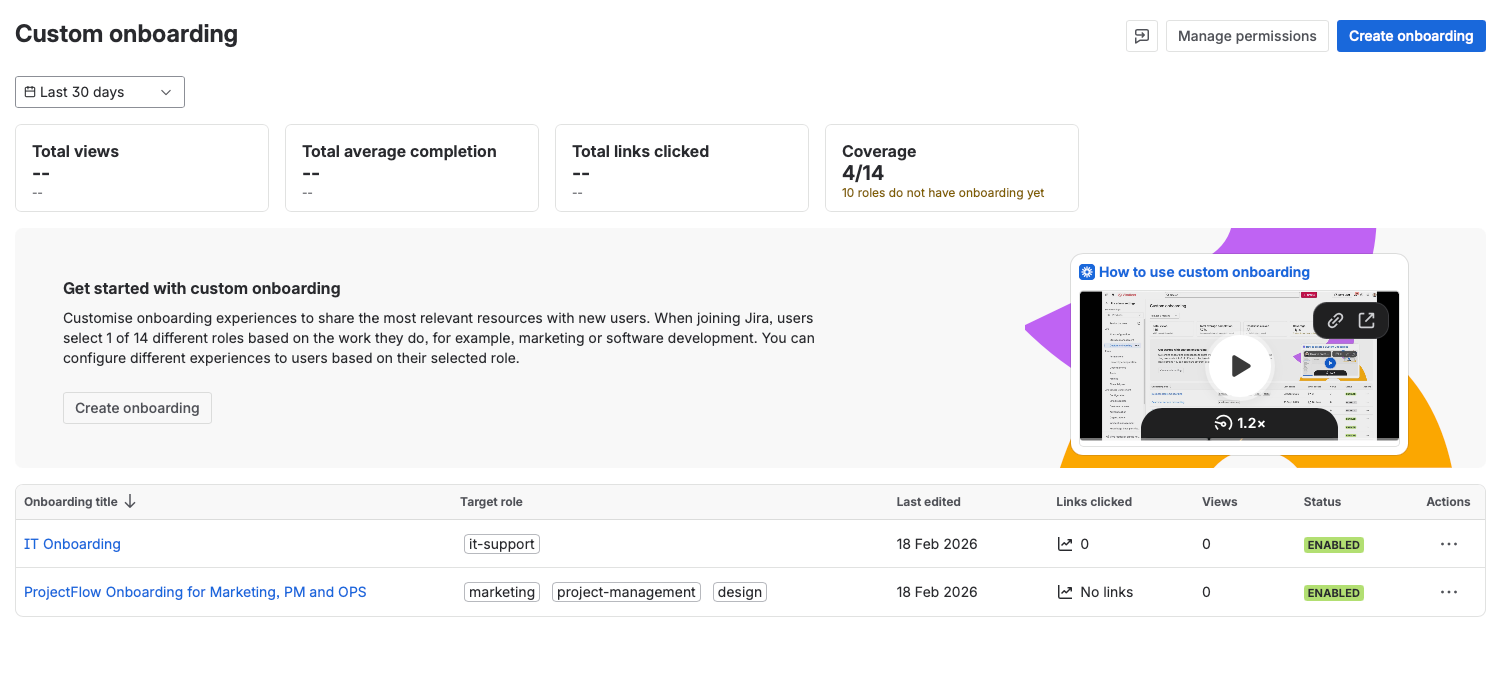
You're not limited to one onboarding flow. You can create separate flows for different departments:
- IT Support sees a walkthrough of how to use the service desk portal and common ticket types
- Marketing gets an introduction to their project boards and request workflows
- HR sees how to submit onboarding/offboarding requests
Or, if you prefer to keep things simple, create one generic onboarding for all departments. I see both approaches work well. Start with one generic flow and split it out later if different teams need different information.
Why Video Makes a Massive Difference
I highly recommend adding video to your onboarding steps. I've tested this with a client and the feedback was clear: people actually watch the videos, and the joining process becomes much smoother.
People these days prefer watching over reading. A 2-minute Loom video showing "here's how to submit a request" or "here's how our team uses Confluence" is worth more than a page of written instructions.
Currently, Jira supports Loom and YouTube embeds in onboarding steps. If you don't want video, that's fine too - it's completely optional.
Some ideas for what to cover in your onboarding videos:
- How to use the JSM customer portal
- How to find and use your team's Confluence space
- A quick intro to your Jira project boards
- Where to go for help (internal knowledge base, Slack channel, etc.)
My Recommendation
Here's how I'd approach this if you're setting it up for the first time:
- Start with one generic onboarding flow - don't create 10 department-specific flows on day one
- Keep it to one or two steps - a welcome message, a useful link, maybe a video
- Use video - even a quick 2-minute Loom walkthrough makes a difference
- Review quarterly - as your processes change, update the onboarding to match
- Link to your Confluence space - if you've got a knowledge base or team documentation, this is the perfect place to surface it
That's it. 10-15 minutes of setup, and every new person joining your Jira instance gets a proper welcome instead of being dropped into an empty dashboard with no context.
When You Need More Than Custom Onboarding
Custom Onboarding is great for that first welcome experience, but if you need a full onboarding process - with tickets, approvals, hardware provisioning, account setup, and automated workflows - you'll want to build a proper onboarding system in JSM.
I've written a complete 3-part series on this:
- Part 1: Complete JSM Employee Onboarding System - The full workflow build, no Premium required
- Part 2: Onboarding with Assets - Hardware and software tracking for new joiners
- Part 3: Secure Offboarding - When people leave (equally important)
The two approaches work perfectly together: Custom Onboarding handles the welcome screen, and the JSM workflow handles the actual onboarding tasks.
Need Help Setting This Up?
If you'd rather have someone set up your onboarding process properly - whether that's the simple Custom Onboarding feature or a full JSM workflow with automation - I can help.
I offer everything from quick 1-2 hour sessions to full implementation sprints. Book a free strategy call and we'll figure out what makes sense for your team.