Do You Really Need Atlassian Guard? A Consultant's Honest Assessment

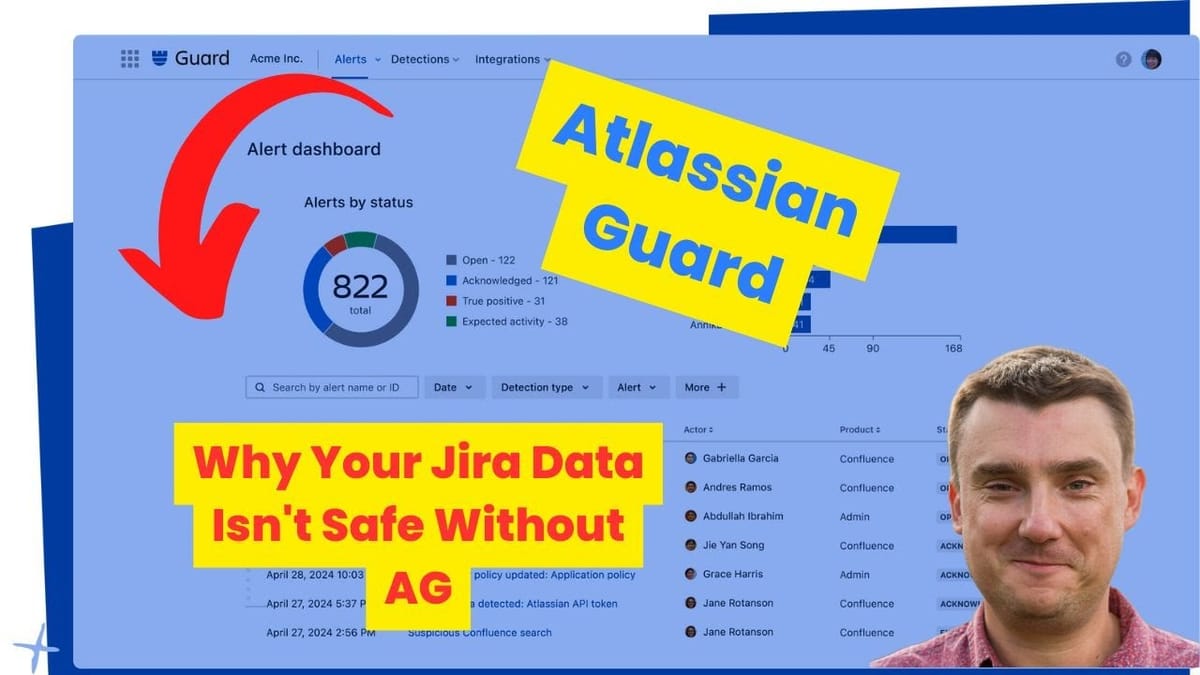
Introduction: The Question Every Organization Asks
"Do we need Atlassian Guard?"
After 14 years of implementing Atlassian solutions for enterprise clients like BBC, Vodafone, NHS, and Lloyds Bank, I hear this question constantly. And here's the truth: the answer is almost never simple.
Like most consultant answers, it starts with "it depends." But unlike vague consulting speak, I'm going to give you a clear framework to make this decision—because Guard (formerly Atlassian Access) represents a significant investment that's absolutely essential for some organizations and complete overkill for others.
Trying to decide if Atlassian Guard is worth it for your org?
Free 30-min call. Honest answer, no sales pitch — I'll tell you when it's worth the cost and when it isn't
First, let's address the name change: Atlassian rebranded "Atlassian Access" to "Atlassian Guard" in 2024. Everything in older documentation and videos remains accurate—only the name has changed. The features, pricing structure, and technical capabilities are identical.
In this guide, I'll walk you through:
- What Atlassian Guard actually is
- The pricing reality (it's expensive)
- When you absolutely need it vs. when you don't
- Real-world scenarios from my consulting experience
- A decision framework you can use immediately
What is Atlassian Guard?
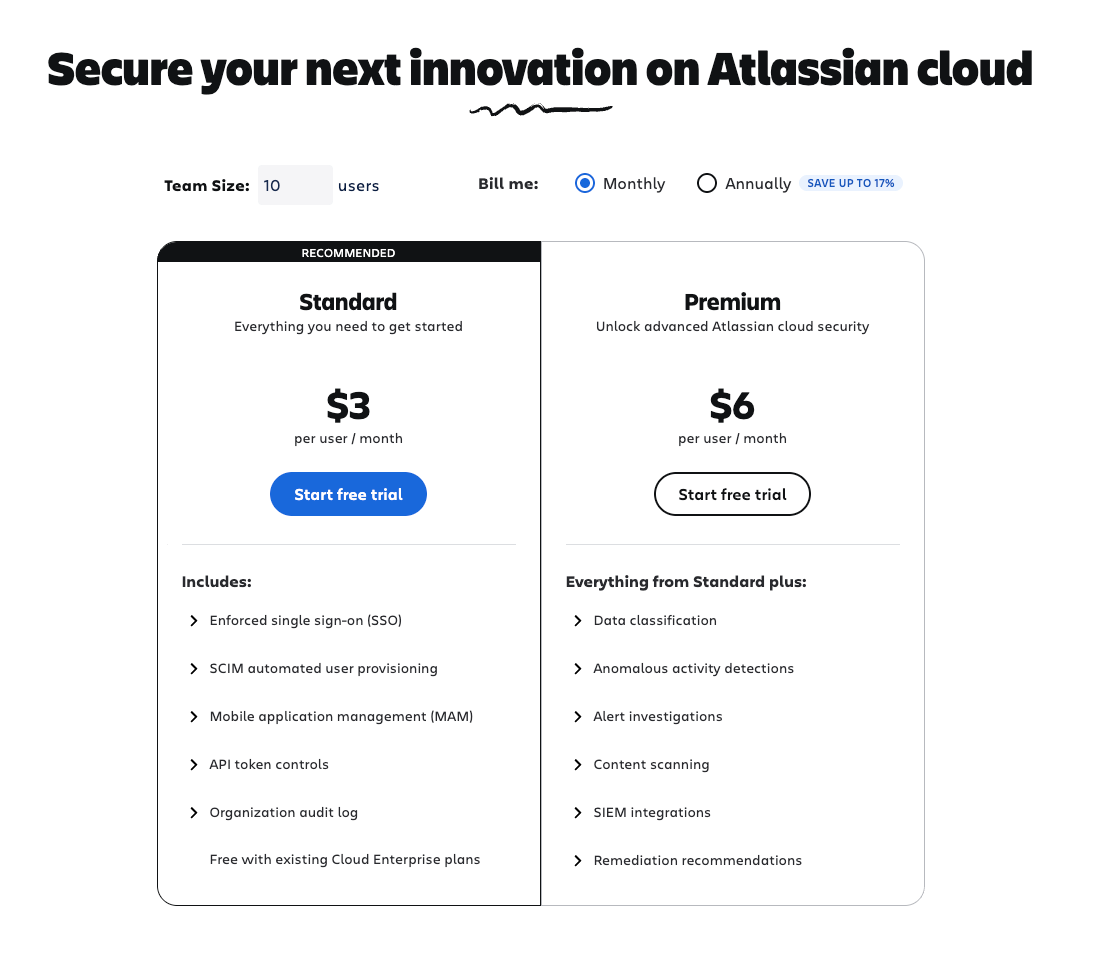
Atlassian Guard is a security and user management subscription for your Atlassian organization. It provides enterprise-grade tools for:
- User provisioning and management across your Atlassian cloud products
- Single sign-on (SSO) with SAML integration
- Data loss prevention and security controls
- Threat detection and monitoring
- Advanced audit logging and compliance reporting
Guard comes in two tiers:
Atlassian Guard Standard
- Single sign-on (SSO) with SAML
- User provisioning from identity providers
- API token management
- Data security policies
- Basic audit logging
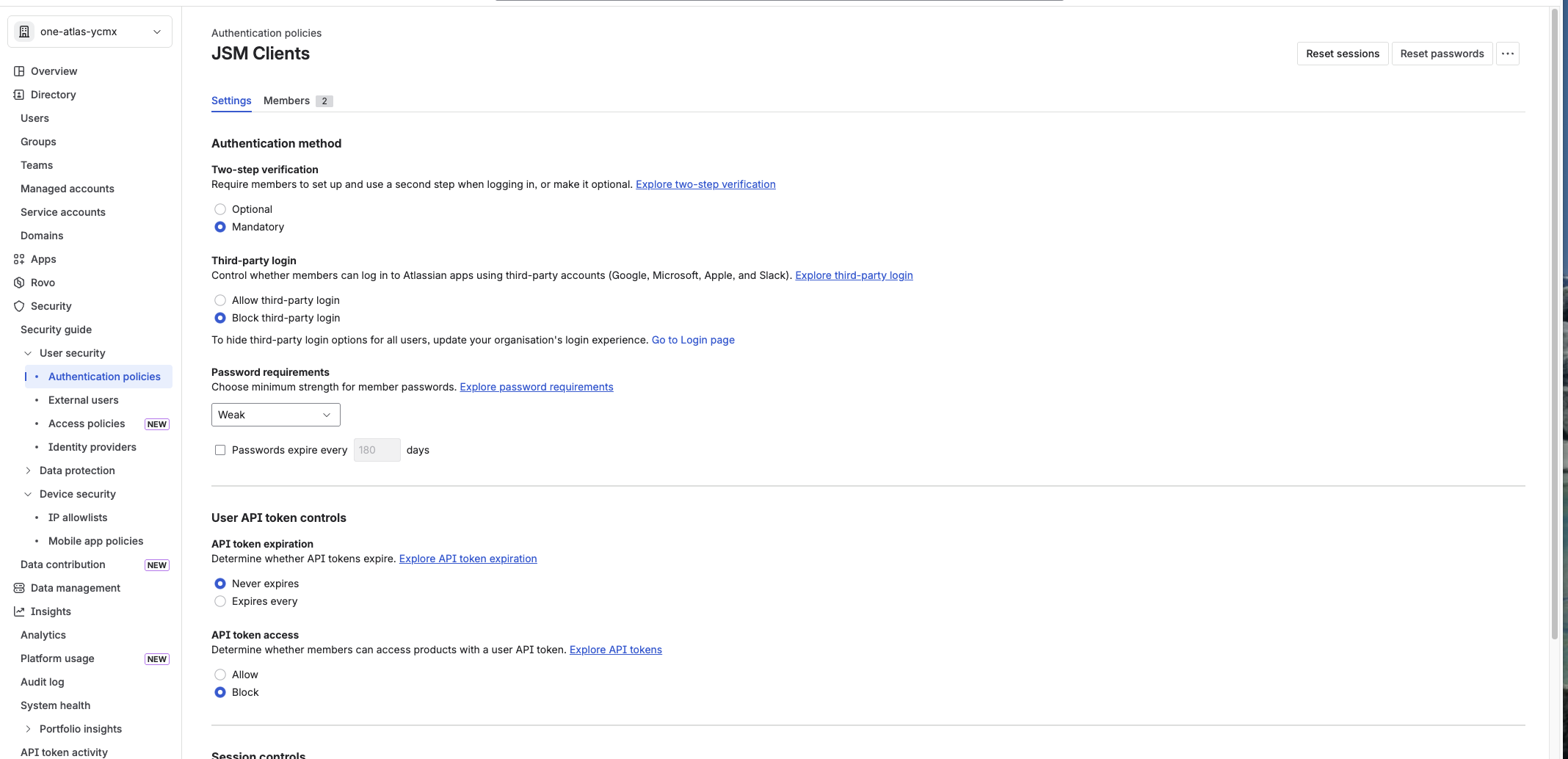
- Authentication policies
Atlassian Guard Premium (Add-on to Standard)
- Everything in Standard, plus:
- Data classification
- Sensitive data detection
- Advanced threat detection (Guard Detect)
- Extended audit logs (up to 365 days)
- Data redaction capabilities
- Webhook integration for SIEM tools
Important Note: Atlassian Government Cloud includes Guard features by default, so Guard isn't sold separately for government customers.
The Pricing Reality: Guard is Expensive
Let's be blunt: Atlassian Guard is a significant investment.
Guard is billed per user across your entire Atlassian organization, separate from your Jira, Confluence, or JSM licenses. The pricing scales with your organization size, but expect Guard Standard to add substantial cost to your monthly Atlassian bill.
Use Atlassian's pricing calculator to get an accurate estimate for your organization size: https://www.atlassian.com/software/guard/pricing
Critical Pricing Considerations:
Organization-wide billing: Guard applies to your entire Atlassian organization, not individual products. If you have 100 users across Jira, Confluence, and JSM, you're paying for 100 Guard licenses.
No partial deployments: Unlike some enterprise tools, you can't buy Guard for "just the 10 admins who need SSO." It's all or nothing.
30-day free trial: Atlassian typically offers a 30-day trial. Use it. Test your SSO integration, user provisioning, and security policies before committing.
Premium is an add-on: If you need Premium features (data classification, threat detection), you pay for BOTH Standard and Premium.
From a consultant's perspective: If you're going to invest in Guard, budget for it properly. This isn't a "nice to have" subscription you can cancel next quarter—it becomes foundational to your security infrastructure.
The Consultant's Perspective: When You ABSOLUTELY Need Guard
Scenario 1: SAML/SSO Integration (The Big One)
If you need SAML-based SSO integration with an identity provider, you NEED Guard. Full stop.
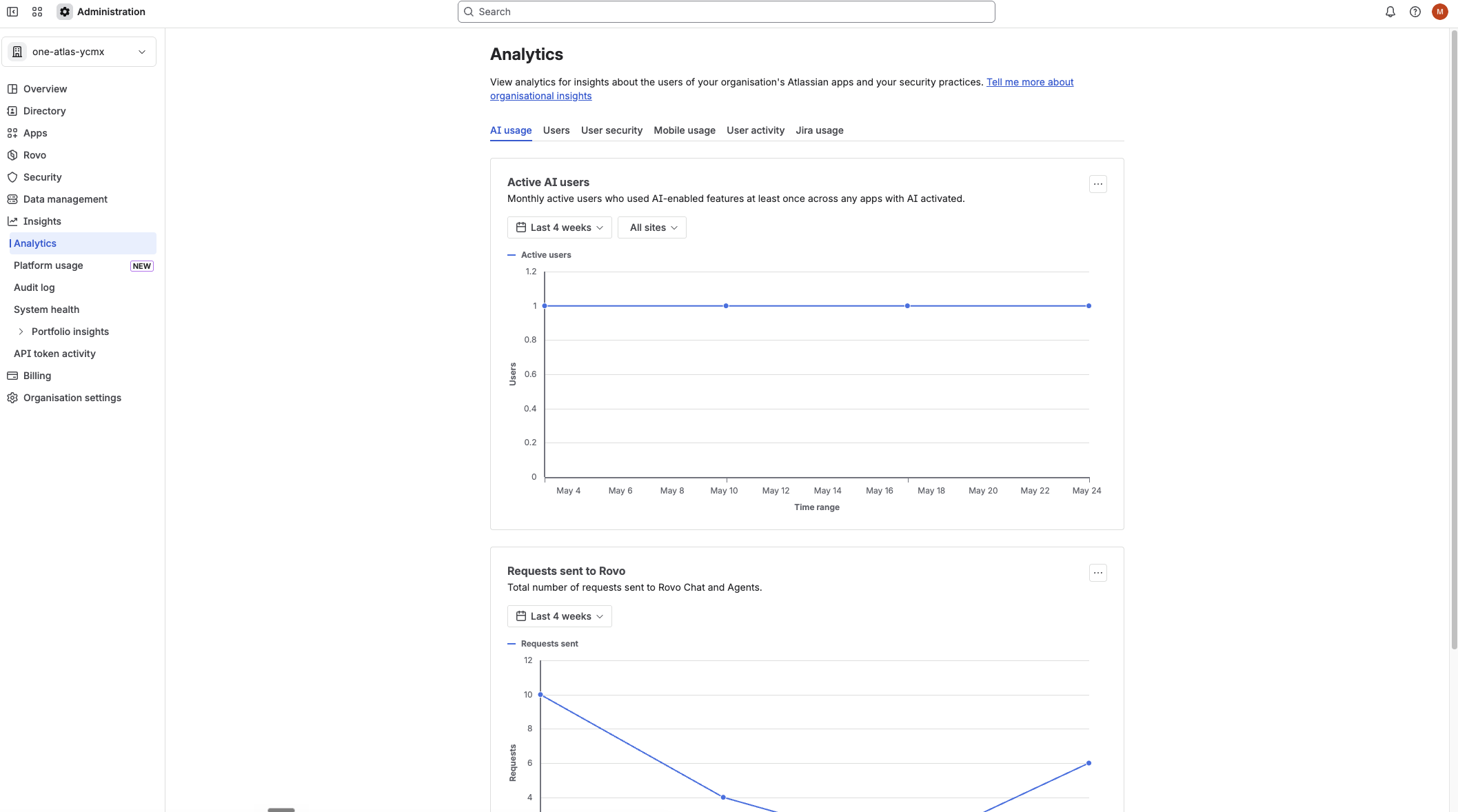
The most common use case I see:
Client: "We use Microsoft Entra ID (formerly Azure AD) to manage all our user access. We want employees to sign into Jira/Confluence using their corporate credentials."
Me: "You need Atlassian Guard Standard."
Why it's non-negotiable:
Without Guard, Atlassian cloud products only support:
- Email/password authentication
- Google SSO (limited)
- Third-party authentication providers (not SAML)
With Guard, you get:
- Full SAML 2.0 support
- Integration with any SAML identity provider:
- Microsoft Entra ID (formerly Azure AD) - most common
- Okta
- OneLogin
- PingIdentity
- Google Workspace (via SAML)
- Active Directory Federation Services (ADFS)
- And dozens more
Real-world impact:
A mid-size tech company (200 employees) came to me frustrated. They'd rolled out Jira and Confluence but employees were creating separate passwords, using weak credentials, and IT had no centralized way to revoke access when someone left.
Solution: Atlassian Guard Standard with Entra ID integration.
Result:
- Single sign-on across all Atlassian products
- Automatic user deprovisioning when removed from Entra ID
- Centralized password policy enforcement
- Reduced helpdesk tickets by 40% (no more password resets)
Bottom Line: If "SSO with our corporate identity provider" is in your requirements, Guard is mandatory.
Scenario 2: Multiple User Directories (The Hidden Gotcha)
This is where many organizations get surprised.
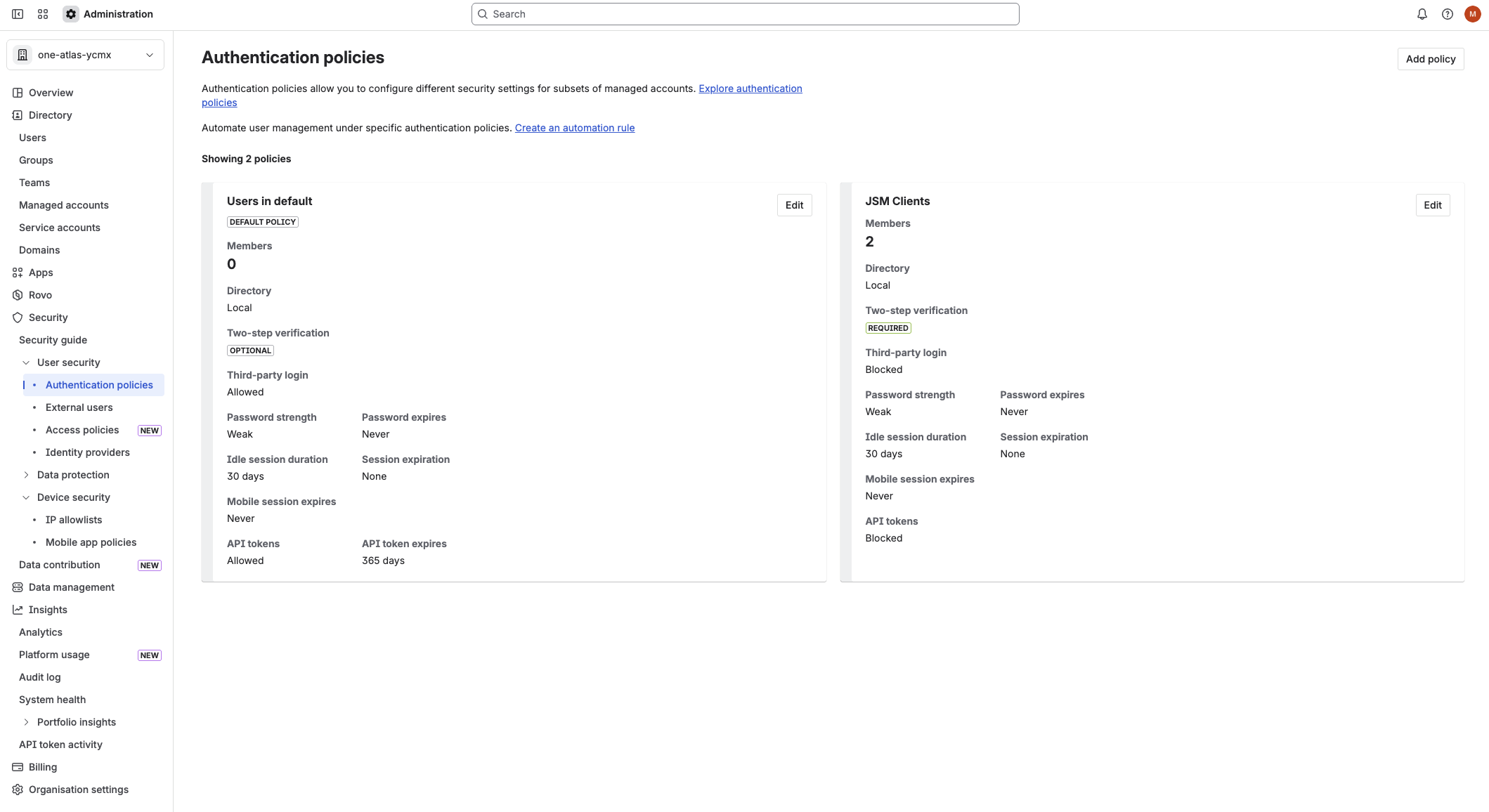
The Problem:
Let's say you have:
- 20 internal employees managed in Entra ID
- 5 contractors who DON'T have Entra ID accounts
Without Guard: You can integrate Entra ID for SSO, but you can't easily manage those 5 contractors. They're stuck using email/password or a completely separate authentication method.
With Guard: You can:
- Use Entra ID (or any SAML provider) for your internal team
- Use email/password or Google Auth for contractors
- Manage both cohorts with different authentication policies
- Apply security rules based on user type (internal vs. external)
Why this matters:
I've worked with clients who thought they were "too small" for Guard (only 20 users!) but needed it specifically for this multi-directory scenario. A construction firm had 15 employees but regularly brought in 10-15 subcontractors for project work. Managing two authentication systems without Guard was a nightmare.
The Guard solution:
- Employees: SAML via Entra ID
- Contractors: External user policy with email/password
- Different session timeout rules for external users
- Automatic deprovisioning for both groups
Decision Rule: If you need to support users from MULTIPLE directories or authentication sources, Guard becomes necessary regardless of organization size.
Scenario 3: Compliance and Audit Requirements
Regulated industries (finance, healthcare, government contractors) often have mandatory security requirements:
Common compliance mandates:
- SOC 2 Type II
- ISO 27001
- HIPAA
- GDPR
- FedRAMP
- PCI DSS
These frameworks typically require:
- ✅ Centralized identity management
- ✅ Single sign-on enforcement
- ✅ Advanced audit logging
- ✅ User provisioning/deprovisioning automation
- ✅ Data security policies
- ✅ Threat detection and monitoring
Without Guard: Meeting these requirements is extremely difficult or impossible.
With Guard: You get compliance-ready tools out of the box.
Real Example:
A healthcare technology company came to me during their SOC 2 audit. Their auditors flagged:
- No SSO enforcement (users could bypass corporate auth)
- Insufficient audit logs (only 30 days retention)
- No automated deprovisioning process
- No data classification for PHI (Protected Health Information)
Solution: Atlassian Guard Premium
Features that saved the audit:
- Enforced SAML SSO (no password authentication allowed)
- Extended audit logs (365 days)
- User provisioning/deprovisioning via SCIM
- Data classification labels for Confluence pages containing PHI
- Data security policies preventing PHI export/public sharing
Cost: ~$15,000/year for 75 users
Value: Passed SOC 2 audit, avoided ~$200,000 in lost contracts
Bottom Line: If compliance drives your security requirements, budget for Guard Premium, not just Standard.
Scenario 4: Data Loss Prevention Needs
Guard Premium provides sophisticated data protection:
Data Classification:
- Label Confluence pages and Jira issues (e.g., Public, Internal, Confidential, Restricted)
- Set default classifications at the space/project level
- Enforce classification during content creation
Data Security Policies:
- Block export of classified content
- Disable public links for sensitive pages
- Prevent anonymous access to specific spaces/projects
- Block third-party Marketplace apps from accessing classified data
Sensitive Data Detection:
- Automatic alerts when credit card numbers, SSNs, API keys, etc. appear in content
- Custom detection rules for your organization's sensitive patterns (project codenames, internal IDs)
- Redaction tools to permanently remove leaked data
Real Scenario:
A fintech startup was preparing for Series B funding. Their due diligence process revealed:
- API keys exposed in Confluence documentation
- Customer financial data in Jira comments
- Unrestricted export permissions across all spaces
Implementing Guard and getting tangled in the policies?
I deploy Guard for clients regularly — SSO, SCIM, IP allowlists, the works. Usually a 1-2 day Quick Fix.
The Fix: Guard Premium with:
- Sensitive data detection for API keys, account numbers
- Data classification (all customer-related content = Confidential)
- Export blocked for Confidential classification
- Public links disabled organization-wide
Result: Passed security review, closed $20M funding round
When you need this:
- Handling customer financial data
- Managing intellectual property
- Processing personal identifiable information (PII)
- Working with trade secrets or M&A information
When You DON'T Need Guard (The Honest Truth)
As a consultant, I lose money when I tell clients they don't need expensive solutions. But here's the truth:
You DON'T Need Guard If:
1. You're a small team with simple authentication needs
Scenario: 10-person startup, everyone uses email/password or Google Auth, no compliance requirements.
Reality: Guard adds $1,500-3,000/year with zero practical benefit. Save the money.
Alternative: Use Atlassian's built-in user management. It works fine for small teams.
2. You don't require SSO/SAML integration
Scenario: 50-person company, employees are comfortable managing separate Atlassian passwords.
Reality: SSO is convenient, but if your team doesn't demand it and IT can manage manual user provisioning, Guard is overkill.
Alternative:
- Use Atlassian's native user invitations
- Enforce strong password policies through training
- Use Google Auth if everyone has Google Workspace
3. Your organization isn't regulated
Scenario: Creative agency, marketing firm, small software company with no compliance mandates.
Reality: Unless you're handling sensitive client data or have contractual security requirements, Guard's advanced features are unused.
Alternative:
- Leverage Jira/Confluence built-in permissions
- Use project-level security settings
- Implement basic audit logging (available without Guard)
4. You're not working with external contractors/partners
Scenario: All users are employees in your Entra ID directory, no contractors or external collaborators.
Reality: You might still want SSO, but if everyone's in one directory and you're willing to manage passwords manually, Guard might not be necessary.
Alternative: Evaluate if SSO convenience justifies the cost.
The Decision Framework: A Consultant's Checklist
Use this framework to make your Guard decision:
Phase 1: Mandatory Requirements
Answer YES to ANY of these = You likely need Guard:
- [ ] We require SAML-based SSO integration with our identity provider
- [ ] We have users from multiple authentication directories
- [ ] We have compliance mandates (SOC 2, ISO 27001, HIPAA, etc.)
- [ ] We need to enforce authentication policies organization-wide
- [ ] We require audit logs longer than 30 days
- [ ] We need automated user provisioning/deprovisioning
If you answered YES to any: Proceed to Phase 2
If all NO: You probably don't need Guard (see alternatives section)
Phase 2: Business Value Assessment
Calculate the cost:
- Guard Standard: $X per user/month
- Guard Premium (if needed): $Y additional per user/month
- Total annual cost: _______
Calculate the value:
- Time saved on manual user management: ___ hours/month × $__ hourly rate = $___
- Reduced helpdesk tickets (password resets, access issues): ___ tickets/month × $__ per ticket = $___
- Compliance audit savings: $___
- Risk mitigation (data breach prevention): $___
- Total annual value: _______
Decision:
- Value > Cost = Proceed with Guard
- Value < Cost = Reconsider or explore alternatives
Phase 3: Future-Proofing
Consider these growth factors:
Are you planning to:
- [ ] Grow beyond 50 users in the next 12 months?
- [ ] Pursue compliance certifications (SOC 2, ISO, etc.)?
- [ ] Work with more contractors/external partners?
- [ ] Integrate more enterprise tools (requiring centralized SSO)?
- [ ] Handle more sensitive customer data?
If YES to 2+: Guard may be inevitable—consider implementing now rather than migrating later.
Real-World Decision Examples
Case Study 1: 25-Person Marketing Agency
Initial Assessment:
- Team size: 25 employees
- No compliance requirements
- Everyone comfortable with separate Atlassian passwords
- No contractors
My Recommendation: Skip Guard
Why:
- Annual cost: ~$3,750 (Guard Standard)
- Annual value: ~$600 (minimal time savings)
- Decision: Not worth it
Alternative Implementation:
- Atlassian native user management
- Strong password policy training
- Manual user provisioning (takes ~5 minutes/new hire)
Client Response: "Thank you for being honest. Most consultants would have pushed the expensive option."
Case Study 2: 100-Person SaaS Company
Initial Assessment:
- Team size: 100 employees, 20 contractors
- Using Entra ID for all corporate apps
- Need SOC 2 compliance
- Handling customer data in Jira/Confluence
My Recommendation: Guard Premium
Why:
- Annual cost: ~$18,000
- Annual value: ~$45,000
- Time savings: $12,000/year
- Compliance support: $20,000 (avoided audit failures)
- Risk mitigation: $10,000+ (prevented data leakage)
- Helpdesk reduction: $3,000/year
- Decision: Clear ROI
Implementation:
- Entra ID SAML integration
- Automated user provisioning via SCIM
- Data classification for all customer-related content
- Sensitive data detection for API keys, PII
- Extended audit logs for compliance
Result: Passed SOC 2 audit first attempt, saved ~$30K in consultant fees
Case Study 3: 50-Person Non-Profit
Initial Assessment:
- Team size: 50 staff + volunteers
- Grant funding requires "enterprise security"
- Mix of employees (Entra ID) and volunteers (no corporate accounts)
- Limited budget
My Recommendation: Guard Standard (not Premium)
Why:
- Must-have: Multiple user directories (employees vs. volunteers)
- Must-have: Grant compliance requirements
- Skip Premium: No sensitive data handling, basic compliance sufficient
Implementation:
- Entra ID for staff
- External user policy for volunteers
- Basic authentication policies
- Standard audit logging
Cost: ~$6,000/year Funding: Included in grant as "IT security infrastructure"
Result: Met grant requirements, simplified volunteer onboarding
Guard Implementation Best Practices (Consultant Tips)
If you've decided you need Guard, here's how to implement it properly:
Pre-Implementation Checklist
1. Audit Your Identity Provider
- [ ] Document all user groups in Entra ID/Okta/other IdP
- [ ] Identify users who should have Atlassian access
- [ ] Clean up inactive accounts BEFORE integration
- [ ] Establish naming conventions
Why: Syncing messy IdP data into Atlassian creates long-term headaches
2. Plan Your Authentication Policies
Define cohorts:
- Internal employees (strongest security)
- Contractors (moderate security)
- External collaborators (basic security)
Set policies for each:
- Authentication methods allowed
- Session timeout duration
- API token permissions
- MFA requirements
3. Start with Guard Standard
Don't immediately jump to Premium unless:
- You have specific data classification needs
- Compliance mandates threat detection
- You're handling highly sensitive data
Why: You can upgrade to Premium later. Start simple, add complexity as needed.
4. User Provisioning Strategy
Choose your approach:
- SCIM (Recommended): Automatic sync from IdP
- JIT (Just-in-Time): Auto-create accounts on first SSO login
- Manual: Import users manually (not recommended)
Best Practice: Enable SCIM for automatic provisioning AND deprovisioning
5. Test Before Going Live
Create a test organization:
- [ ] Set up SSO with 2-3 test accounts
- [ ] Test user provisioning
- [ ] Verify deprovisioning works
- [ ] Test authentication policies
- [ ] Validate audit logging
Why: SSO issues discovered after go-live are extremely disruptive
6. Communication Plan
Before launch:
- Notify all users 2 weeks in advance
- Explain what changes (authentication method)
- Provide clear login instructions
- Identify support contacts
During launch:
- Offer live support for first 48 hours
- Monitor authentication failures
- Document common issues
After launch:
- Collect feedback
- Refine policies based on real usage
- Update documentation
Common Implementation Mistakes (And How to Avoid Them)
Mistake 1: Not Cleaning Up IdP First
The Problem: Syncing 500 users from Entra ID, 200 of whom are inactive or shouldn't have Atlassian access.
The Cost: Paying for 200 unnecessary Guard licenses
The Fix: Audit and clean IdP groups BEFORE enabling SCIM
Mistake 2: Overly Restrictive Authentication Policies
The Problem: Setting 15-minute session timeout for all users, including developers who need extended sessions.
The Result: Frustrated users, productivity loss, constant re-authentication
The Fix: Create multiple authentication policies:
- Developers: 8-hour sessions
- Standard users: 2-hour sessions
- Contractors: 1-hour sessions
Mistake 3: Ignoring External User Security
The Problem: Forgetting to configure external user policy, allowing anyone with an email to create accounts.
The Risk: Unauthorized access, data exposure
The Fix: Configure external user policy on day one:
- Require admin approval for external accounts
- Set appropriate session timeouts
- Limit API token creation
Mistake 4: Not Training Admins
The Problem: Implementing Guard but admins don't understand authentication policies, data security rules, or audit logs.
The Result: Underutilized investment, security gaps
The Fix: Invest 4-6 hours in admin training:
- Guard fundamentals
- Authentication policy management
- Data security policy creation
- Audit log analysis
- Threat detection response (if Premium)
Alternatives to Guard (When You're Not Ready)
If Guard doesn't make sense for your organization right now, consider these alternatives:
Alternative 1: Atlassian Cloud with Strong Password Policies
What you get:
- Native user management
- Basic audit logs (30 days)
- Project/space permissions
- Email-based authentication
Limitations:
- No SSO
- Manual user provisioning
- Limited audit capabilities
- No data classification
Best for: Teams under 30 users with no compliance needs
Alternative 2: Google Workspace SSO (Limited)
What you get:
- SSO via Google accounts (if everyone has Google Workspace)
- Simplified authentication
- Some user management via Google Admin
Limitations:
- Not true SAML (limited policy control)
- Doesn't work with Entra ID or other IdPs
- No advanced Guard features
Best for: Google Workspace organizations wanting basic SSO
Alternative 3: Third-Party Identity Brokers
Options: OneLogin, Auth0, Okta (with Basic plan)
What you get:
- SAML SSO to Atlassian
- Centralized identity management
- Some provisioning capabilities
Limitations:
- Additional cost (possibly similar to Guard)
- Doesn't provide Guard's data security features
- More complex architecture
Best for: Organizations already heavily invested in specific IdP platform
Pricing Optimization Tips
If you're committing to Guard, here's how to optimize costs:
Tip 1: Audit User Count Quarterly
Action: Review who actually needs Atlassian access every 90 days
Savings: 10-20% by removing inactive users
Tip 2: Leverage SCIM Deprovisioning
Action: Configure automatic deprovisioning when users leave IdP
Savings: Stop paying for departed employees within 24 hours
Tip 3: Use Authentication Policies Strategically
Action: Different policies for different user types:
- Full-time employees: Full access
- Contractors: Limited API tokens, shorter sessions
- External collaborators: View-only where possible
Savings: Potentially use Jira Service Management "customers" for external users (don't count toward Guard billing)
Tip 4: Start with Standard, Upgrade Selectively
Action: Use Guard Standard for SSO, add Premium only when specific features needed
Savings: 40-50% cost reduction vs. implementing Premium from day one
The Updated Terminology: Guard vs. Access
Quick Reference for Older Documentation:
| Old Term (Pre-2024) | New Term (2024+) | Functionality |
|---|---|---|
| Atlassian Access | Atlassian Guard | Identical |
| Access Standard | Guard Standard | Identical |
| Access Premium | Guard Premium | Identical |
| Access Console | Guard Console | Identical |
Why it matters:
- Older videos and documentation say "Atlassian Access"
- Current Atlassian UI says "Atlassian Guard"
- All technical setup steps remain valid
- Pricing structure unchanged
Microsoft Terminology Update (Bonus):
- Old: Azure Active Directory (Azure AD)
- New: Microsoft Entra ID (as of July 2023)
- Functionality: Identical, just rebranded
Final Recommendations: The Consultant's Verdict
You NEED Atlassian Guard if:
✅ You require SAML SSO with corporate identity provider ✅ You manage users across multiple directories ✅ You have compliance/audit requirements ✅ You handle sensitive customer data ✅ You're scaling beyond 50 users with security needs
Action: Start 30-day trial, budget for Guard Standard minimum
You PROBABLY Need Guard if:
⚠️ You're approaching 50+ users
⚠️ IT spends >5 hours/month on manual user management
⚠️ You're pursuing enterprise clients (who will audit your security)
⚠️ You're working with regulated data
⚠️ You're integrating multiple enterprise tools (SSO becomes valuable)
Action: Evaluate using the decision framework, calculate ROI
You DON'T Need Guard if:
❌ Team under 25 users with simple authentication
❌ No compliance requirements
❌ No SSO integration needs
❌ Comfortable with manual user management
❌ Not handling sensitive data
Action: Use Atlassian native features, revisit in 6-12 months as you grow
Conclusion
Atlassian Guard (formerly Access) is a powerful security suite that's absolutely essential for some organizations and complete overkill for others.
The key decision factors:
- SAML/SSO requirements - If you need it, you need Guard
- Organization size and complexity - Scales with user count
- Compliance mandates - Often non-negotiable
- Data sensitivity - Determines Standard vs. Premium
- Budget constraints - ROI must justify the investment
As a consultant who's implemented Guard for dozens of organizations, my advice:
Don't buy Guard because it sounds enterprise-grade. Buy it because you have specific security requirements it solves.
And if you're on the fence? Start the 30-day trial. Set up SSO with your IdP, test user provisioning, configure authentication policies. You'll know within a week whether Guard is worth the investment for your organization.
Need Help Deciding?
I offer:
Guard Assessment Workshop (2 hours)
- Review your security requirements
- Evaluate Guard necessity
- Calculate ROI
- Provide implementation roadmap
Guard Implementation Service
- Full SSO/SCIM setup
- Authentication policy configuration
- User migration planning
- Admin training
Planning a Cloud move? See my Migration Guide.
1:1 Consulting
- Custom security architecture
- Compliance preparation
- Ongoing optimization
Want Atlassian Guard configured properly without weeks of trial-and-error?
Let's scope your setup. Free 30-min strategy call.
Questions? Pushback? Something you'd handle differently? Drop it in the comments below — I read and reply to every single one.